This demo displays sample data only. Production access is protected by invited-email login and role-based access control.
本デモはサンプルデータを表示するモードです。実運用時は招待制ログインとロール別アクセス制御で保護されます。
1. Purpose of the Application
AdGuild Ad Report Dashboard is an internal business dashboard application developed and operated in-house by ADGUILD, K.K. (Kabushiki Kaisha AdGuild), a Japan-based performance-marketing company, to streamline our own Google Ads operations. ADGUILD runs a pay-per-click (PPC) affiliate-marketing business: we create and operate landing pages for advertisers' products, drive traffic to them with Google Ads (Search, Performance Max, and Demand Gen campaigns), and earn performance-based commissions. We operate approximately 30 Google Ads sub-accounts under our Manager Account (MCC 370-641-8337).
The dashboard uses the Google Ads API to (1) automatically ingest advertising performance reports for all sub-accounts, and (2) let our internal staff perform routine, day-to-day account operations — which we currently do by hand in the Google Ads UI — from a single audited interface. It replaces our legacy Google Ads Scripts setup, removing the 30-minute execution limit and adding structured error handling, CI/CD integration, and a consolidated dashboard the whole team can reference.
2. Screenshots
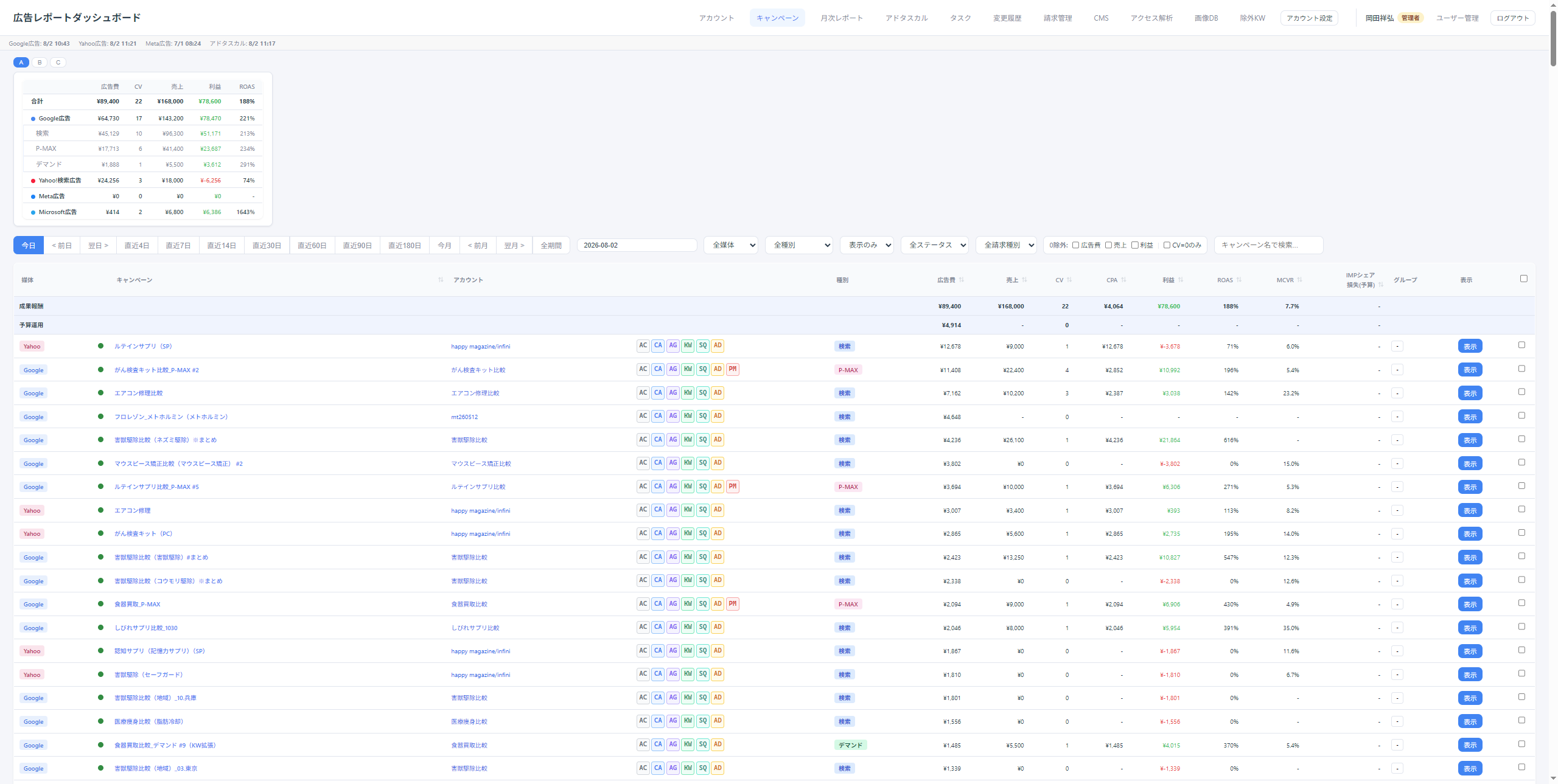
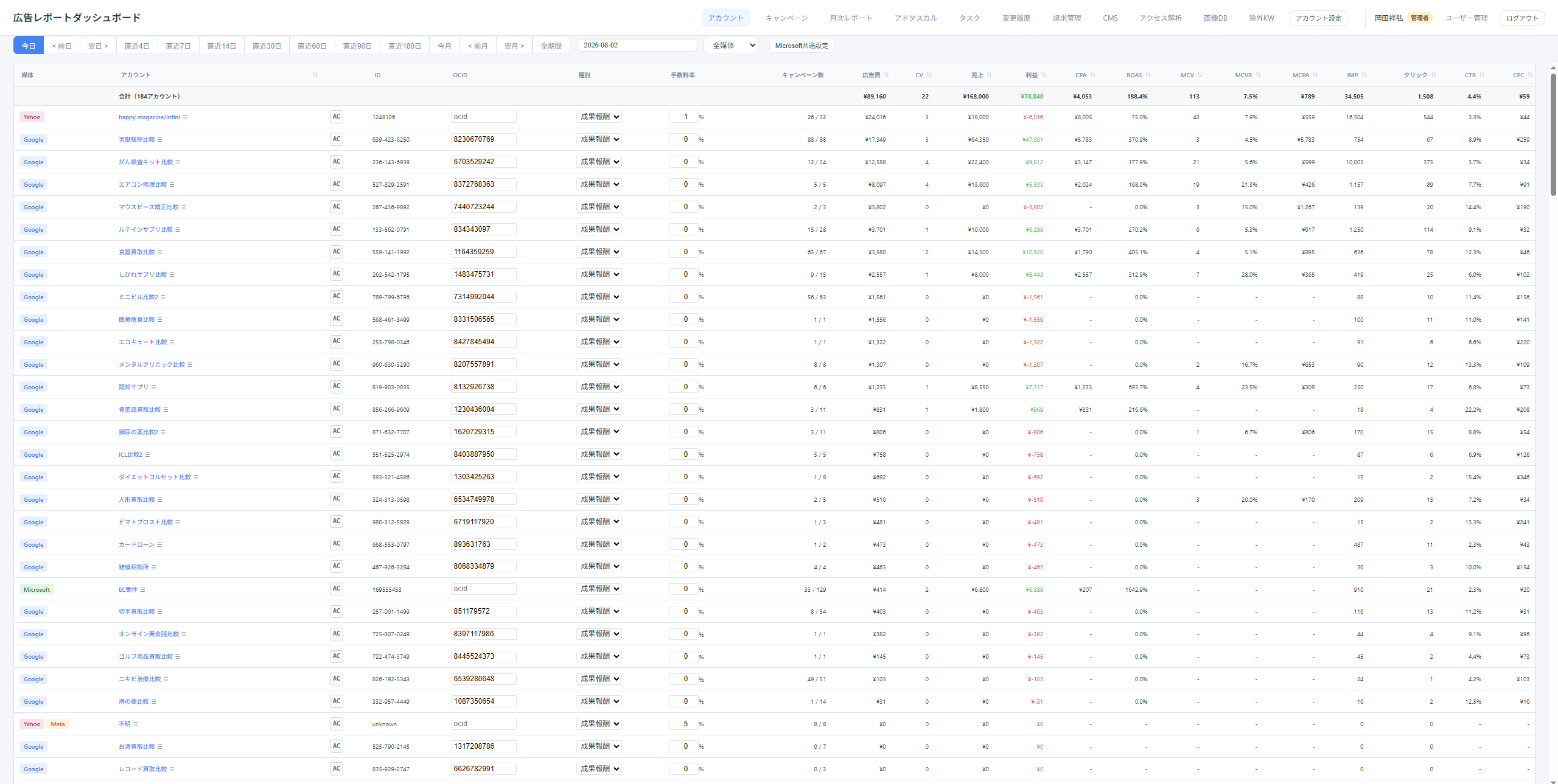
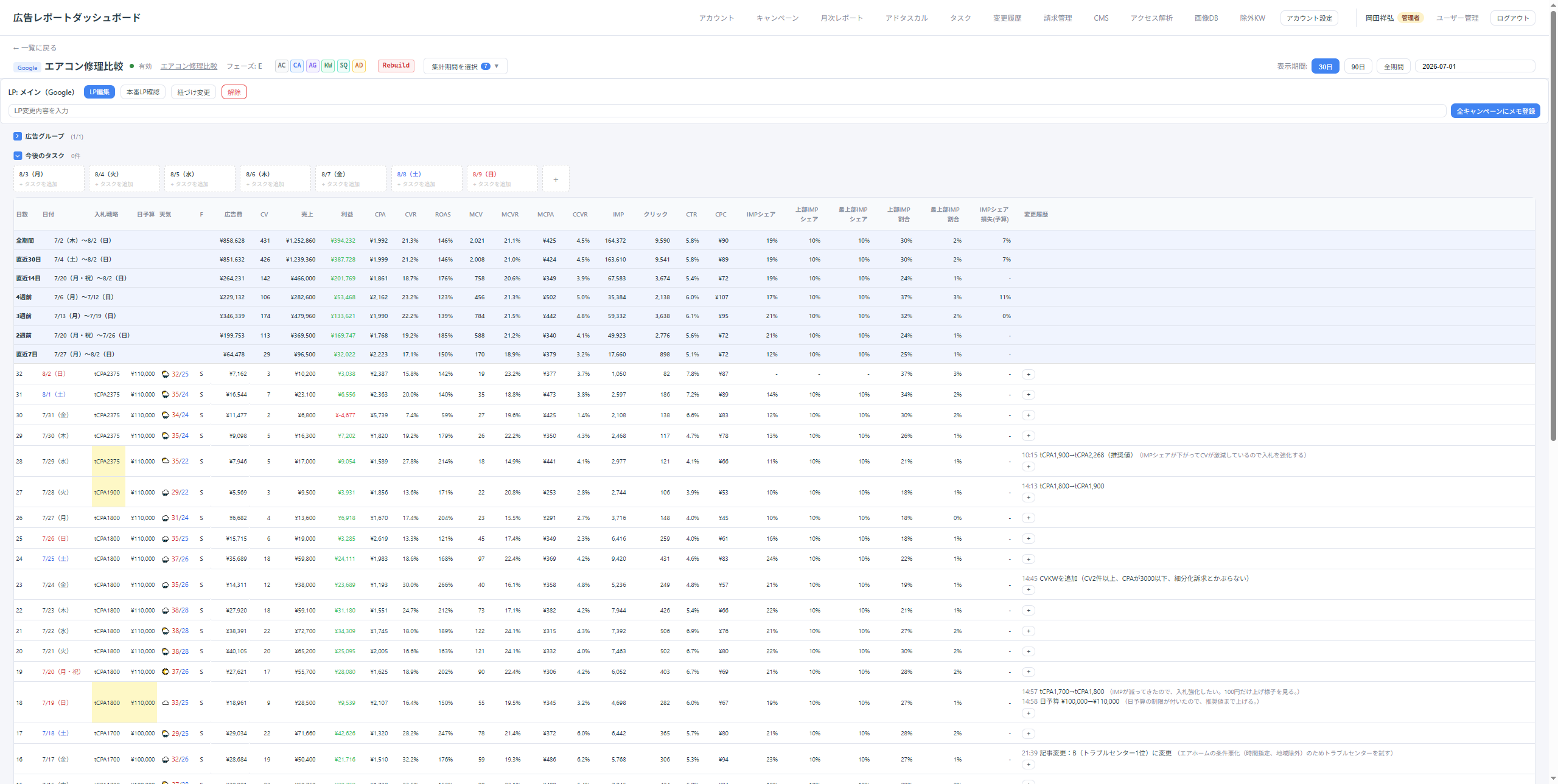
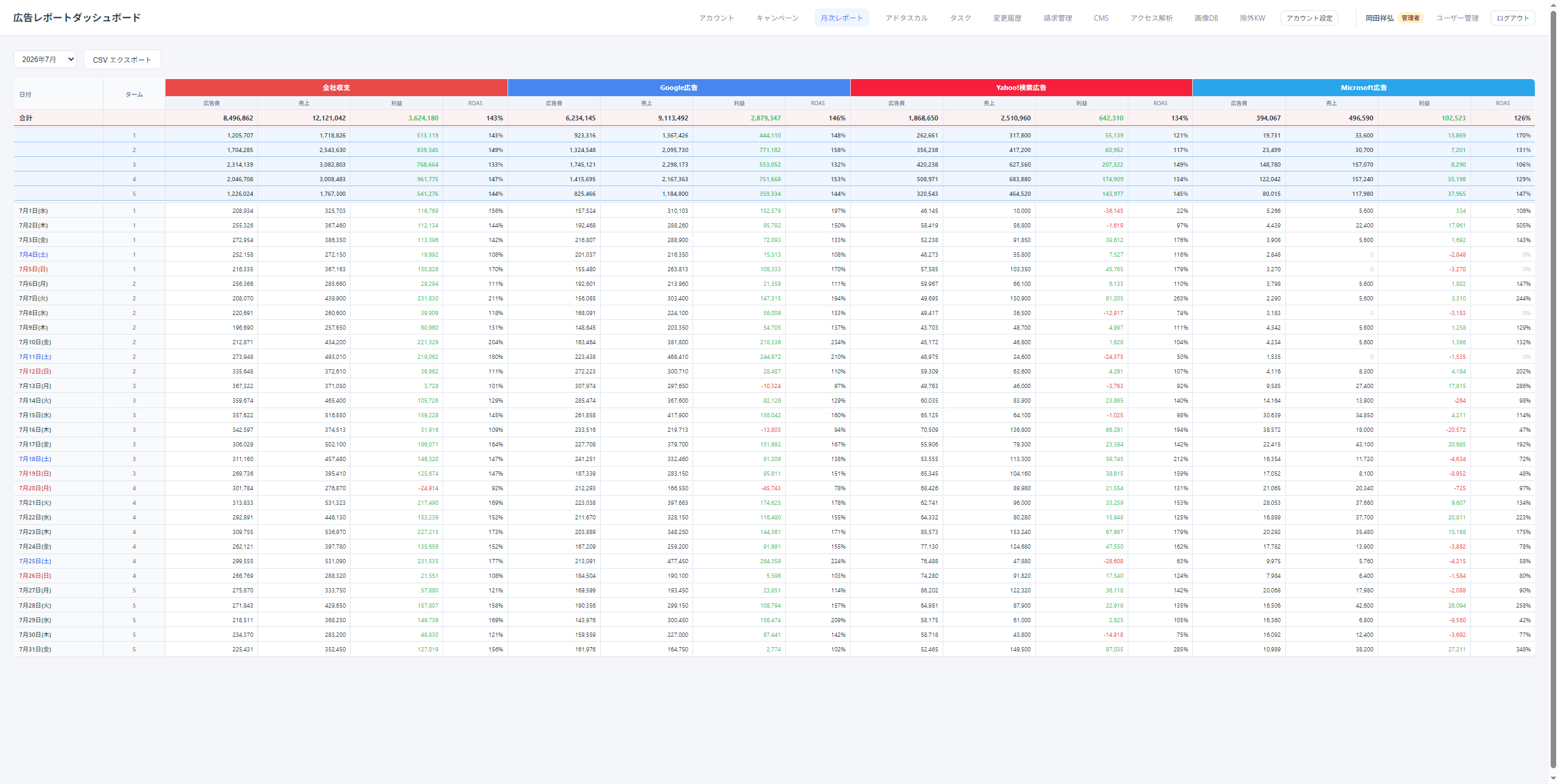
The dashboard is already in production for reporting (currently fed by Google Ads Scripts). The screenshots below are from the live system.
Cross-account views over all sub-accounts under our MCC; monthly, weekly, and custom date ranges
Cross-platform comparison with Yahoo! JAPAN Ads, Meta Ads, and Microsoft Ads
Change Events audit-log view of configuration changes
3.2 Account operations (write)
All of the following are routine tasks our staff currently perform manually in the Google Ads UI. The dashboard lets them run the same operations from one place, with every write audit-logged:
Creating new sub-accounts under our MCC
Creating conversion actions
Sending user-access invitations from the MCC (restricted to a fixed, pre-defined list of internal email addresses)
New-campaign wizard (campaign + budget + ad groups + keywords + Responsive Search Ads created in one guided flow)
Keyword idea generation (KeywordPlanIdeaService, seed-based suggestions)
3.3 Explicitly out of scope
Customer Match (uploading customer email / phone lists)
Offline conversion uploads
App Conversion Tracking and Remarketing API
Keyword plan forecasts (idea generation only)
Auto-applying Google recommendations
4. Who Uses It
This application is used only by ADGUILD employees and directly contracted analysts (currently 5–10 people). It is never exposed to clients, external vendors, or the general public. Access is controlled by multiple layers:
Invited-email whitelist (no profile is created without a pre-registered email, even after a successful Google login)
Role-based access control (admin / editor / viewer)
Per-operation permission matrix for every write operation
Ads API Google Ads API (Basic Access), reporting + the limited write operations listed above
6. Data Handling
We retrieve aggregated advertising performance metrics only. No end-user personal information is collected.
We never upload personal data (emails, phone numbers, etc.) through the Google Ads API — no Customer Match.
Retrieved data is used only inside our own Supabase database and is never shared with third parties.
API credentials (developer token, OAuth client ID/secret, refresh token) are stored exclusively in Cloudflare Workers / GitHub Actions secret storage — never in our frontend or database.
AdGuild Ad Report Dashboard は、株式会社アドギルドが自社の Google 広告運用を効率化するために社内で開発・運用する内部業務用ダッシュボードアプリケーションです。当社は PPC アフィリエイト広告事業(広告主商品の紹介ページを制作し、Google 広告で集客して成果報酬を得る事業)を営んでおり、Google 広告マネージャーアカウント(MCC 370-641-8337)配下で約 30 個のサブアカウントを運用しています。
本アプリは Google Ads API を用いて、(1) 全サブアカウントの広告パフォーマンス レポートの自動取得、(2) 現在 Google 広告 UI 上で人手で行っている日常的な広告運用オペレーションのダッシュボード化を行います。既存の Google Ads Scripts による運用を置き換えることで、実行時間制限(30 分)を撤廃し、構造化されたエラーハンドリング・CI/CD 統合・チーム全員が参照できる集約ダッシュボードを実現します。
2. 主な機能
2.1 広告パフォーマンス レポート機能(読み取り)
キャンペーン、広告グループ、Performance Max キャンペーンの日次パフォーマンス メトリクス(表示回数、クリック、コンバージョン、費用、インプレッション シェア等)の自動取得